Turn one good photo into more creative directions.
Reuse the people, places, and looks that define your visual language. Moonlight helps creators develop new scenes without rebuilding a technical image workflow for every post.
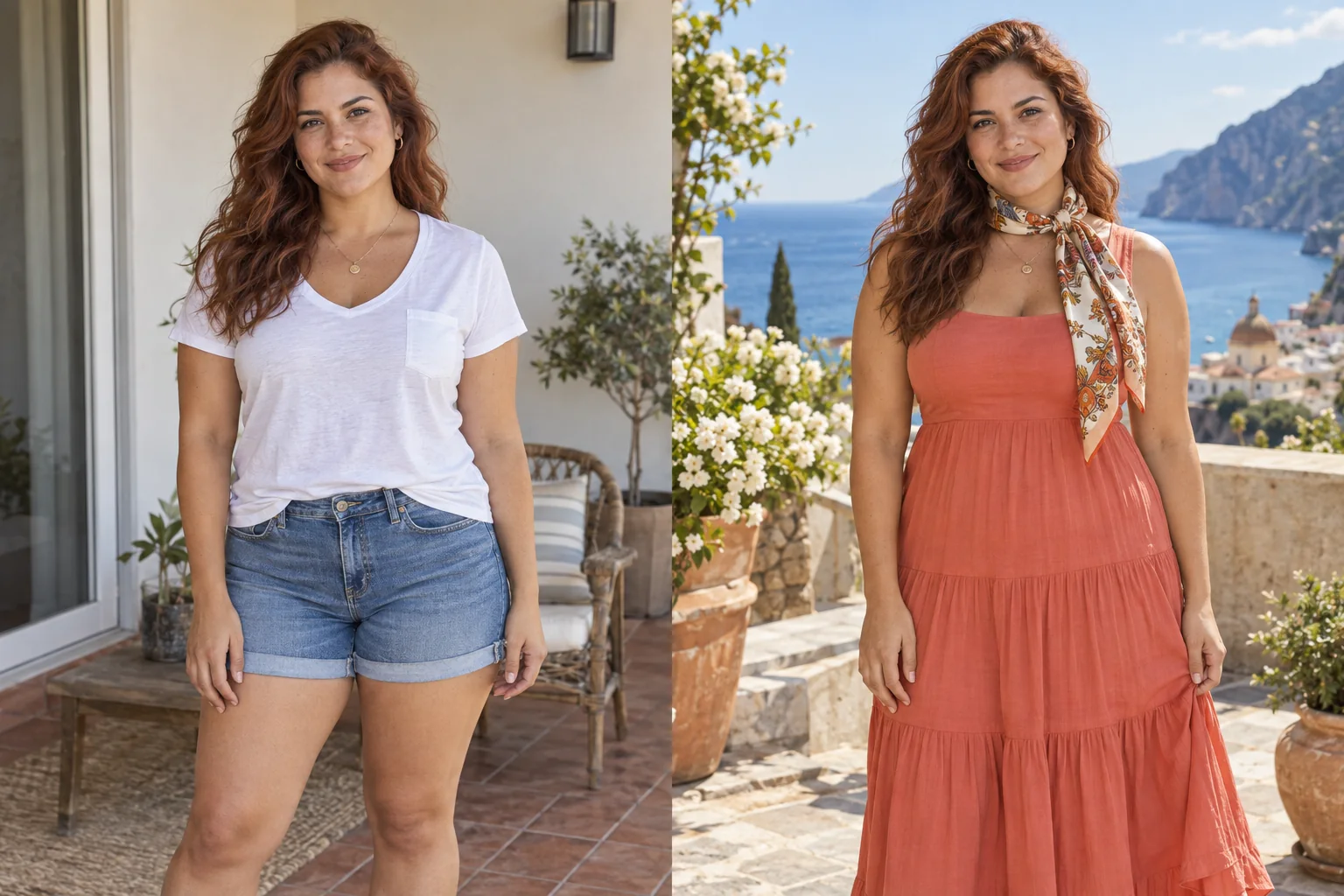
Out of office. Into color.
A casual portrait becomes a sunlit Mediterranean resort look in coral and silk.
Explore the look and suggested promptBegin with a photograph worth keeping.
Use Moonlight when the expression, pose, or composition is already strong but the wardrobe, location, or atmosphere does not fit the next idea.
Choose one clear portrait and write a brief for the next post before generating. Decide whether you need a wardrobe variation, a different location, or softer light. Keep the pose and framing fixed while testing that one change so you can compare the versions fairly.
Reuse recurring people, places, outfits, and poses.
A named reference library reduces repetitive setup and makes recurring creative ingredients available for the next scene.
For a small series, save one person reference, one recurring outfit, and a place whose colors fit the brief. Start each variation from the original source rather than relying on an already altered face. Keep the same references selected and change one part of the prompt between attempts.
A starting brief: Keep the same person, face, hairstyle, navy jacket, and waist-up framing. Replace the busy room with a warm gray studio wall and soft light from the right. Leave open space to the left of the person for a caption added later in my layout tool.
Budget for attempts, then choose the still to animate.
An image creation costs 3 credits. Three alternate stills therefore cost 9 credits, whether or not you keep all three. Compare facial details, clothing, and the space around the subject before making another version.
When a still works, open Animate and describe the movement rather than changing its wardrobe or setting again. A short camera move or one subject action is easier to review than several simultaneous movements. Animation and video extensions have separate credit costs shown in the studio.
Review the image and disclose meaningful AI alteration.
Inspect the output at full size, respect the rights of everyone depicted, and disclose AI editing when the changed context could mislead an audience.
Check logos, product labels, jewelry, and readable text separately: a polished portrait can still contain incorrect brand details. Add final typography and exact product claims in your layout tool. The generated scene should not imply a real endorsement, event attendance, or product result that did not happen.
Make the scene you imagined.
Create an account for 15 credits—enough for 5 image creations. No card required.
Start creating