Edit your photo with reference images.
A source photo says who and what to preserve. Additional references can show the place, outfit, or pose. Moonlight turns those roles into one plain-language editing workflow.
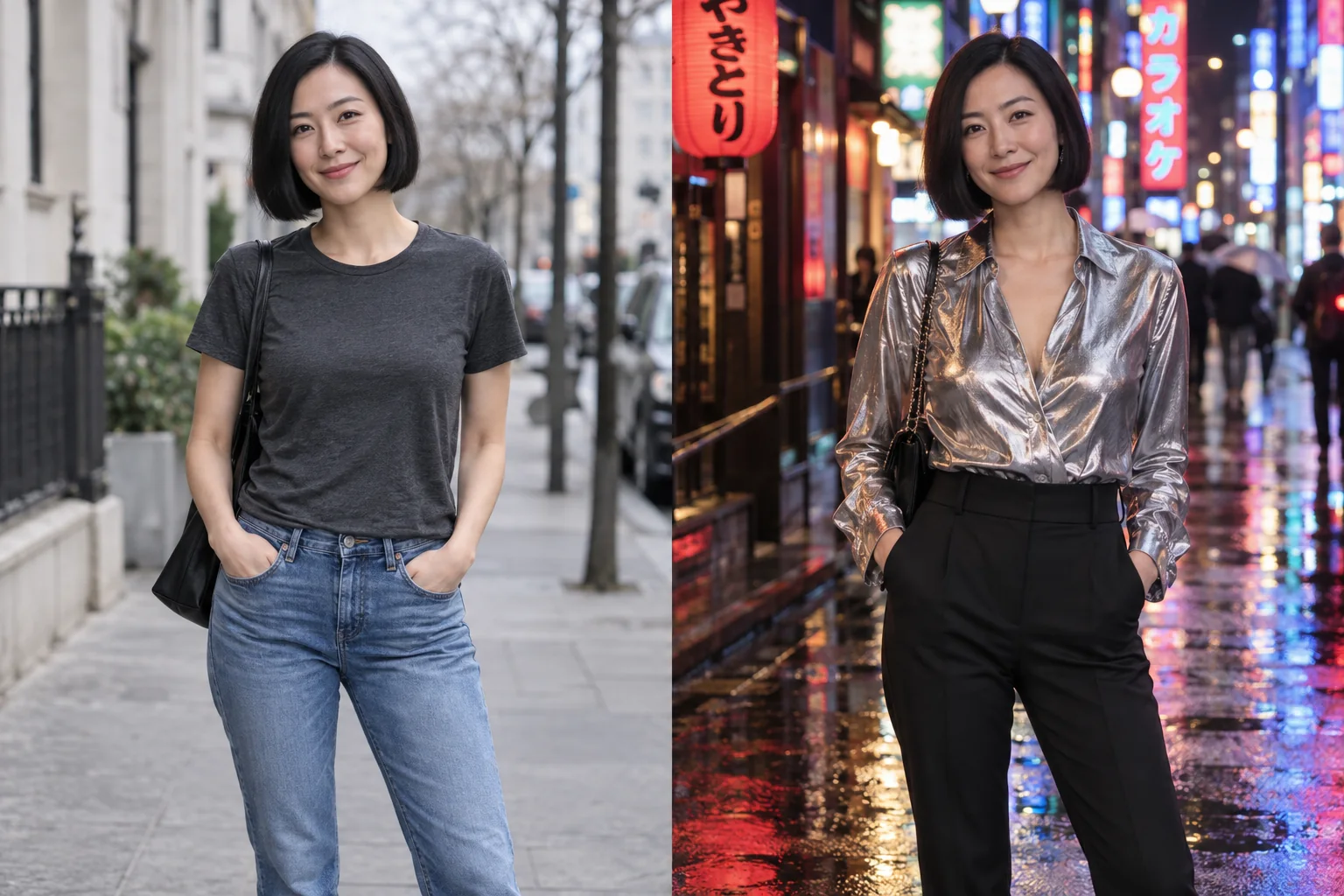
Take the long way home.
A simple street portrait reimagined in metallic eveningwear and rain-lit neon.
Explore the look and suggested promptThe source is the photo being edited.
For an edit, choose the image whose composition or subject you want to carry forward. Moonlight uses it as the foundation instead of treating every image as an equal style sample.
Open Create, upload the photo being edited, and keep it first in the scene recipe. Then add the reference images needed for the change. If you are editing a portrait, do not put a clothing catalog image first: its model, pose, and setting are not the portrait you intended to preserve.
Assign people, places, outfits, and poses deliberately.
Save references once, name them clearly, and reuse them in later scenes. A concise role helps distinguish identity from wardrobe, location, pose, or general inspiration.
Use a person reference to clarify recognizable features, an outfit reference for garments, a place reference for the setting, and a pose reference for body position. Start with the source plus one useful reference; add another only when it answers a specific visual question.
- Up to ten source and reference images can be used in one job.
- Clear, complementary references work better than redundant ones.
- A reference communicates visual facts; the prompt explains intent.
Use the prompt to resolve relationships.
Tell Moonlight which person wears the outfit, where the scene takes place, and what the finished photograph should feel like. The prompt is the director; the images are the visual memory.
For a wardrobe edit, try: Keep the person, expression, hairstyle, pose, and hallway from my first photo. Use the red dress reference for the clothing only. Do not copy the reference model's face or background. Match the garment folds and shadows to my original photograph.
For a combined scene, try: Keep the person and pose from the source portrait. Borrow the navy suit from the outfit reference and the room from the place reference. Keep the source camera angle and use soft window light from the left across the whole image.
Remove competing instructions before trying again.
A standing outfit photo and a seated source portrait may suggest different fabric folds or garment lengths. Tell the editor that the source controls the pose and the outfit reference contributes only the clothing. If the result follows the wrong face, remove unnecessary people references and make the source person's role explicit.
Review identity, hands, garment boundaries, shadows, and background perspective before downloading. More references do not guarantee a closer match. Simplifying to two images can make the instruction easier to evaluate, and exact identity, logos, and fine fabric details are not guaranteed.
Your questions, answered.
How many reference images can I use?
A creation accepts up to ten images in total, including the source photo. You do not need to fill all ten slots. Begin with the source and the one reference that best explains the change.
Does adding someone as a person reference train a model?
Saving a person reference makes that image available to reuse in your Library. The workflow does not ask you to train a separate identity model. References guide each creation and do not guarantee an exact likeness.
Can I use another person's photo or a clothing catalog image?
Only use images you have permission to upload and edit, including permission from people depicted for the requested transformation. Explain which parts of an authorized reference should transfer, and review Photo privacy before uploading sensitive material.
Make the scene you imagined.
Create an account for 15 credits—enough for 5 image creations. No card required.
Start creating