Create an account and get 5 free image creations →
Lingerie styling guide · adults 18+

Explore a lingerie look.

Black lace, a satin bodysuit, an ivory robe. Describe a lingerie styling direction from your own photo, or add an outfit reference to make the details clearer. Start with a covered fashion look and keep the person recognizable.

No card required. Your photos, your direction.

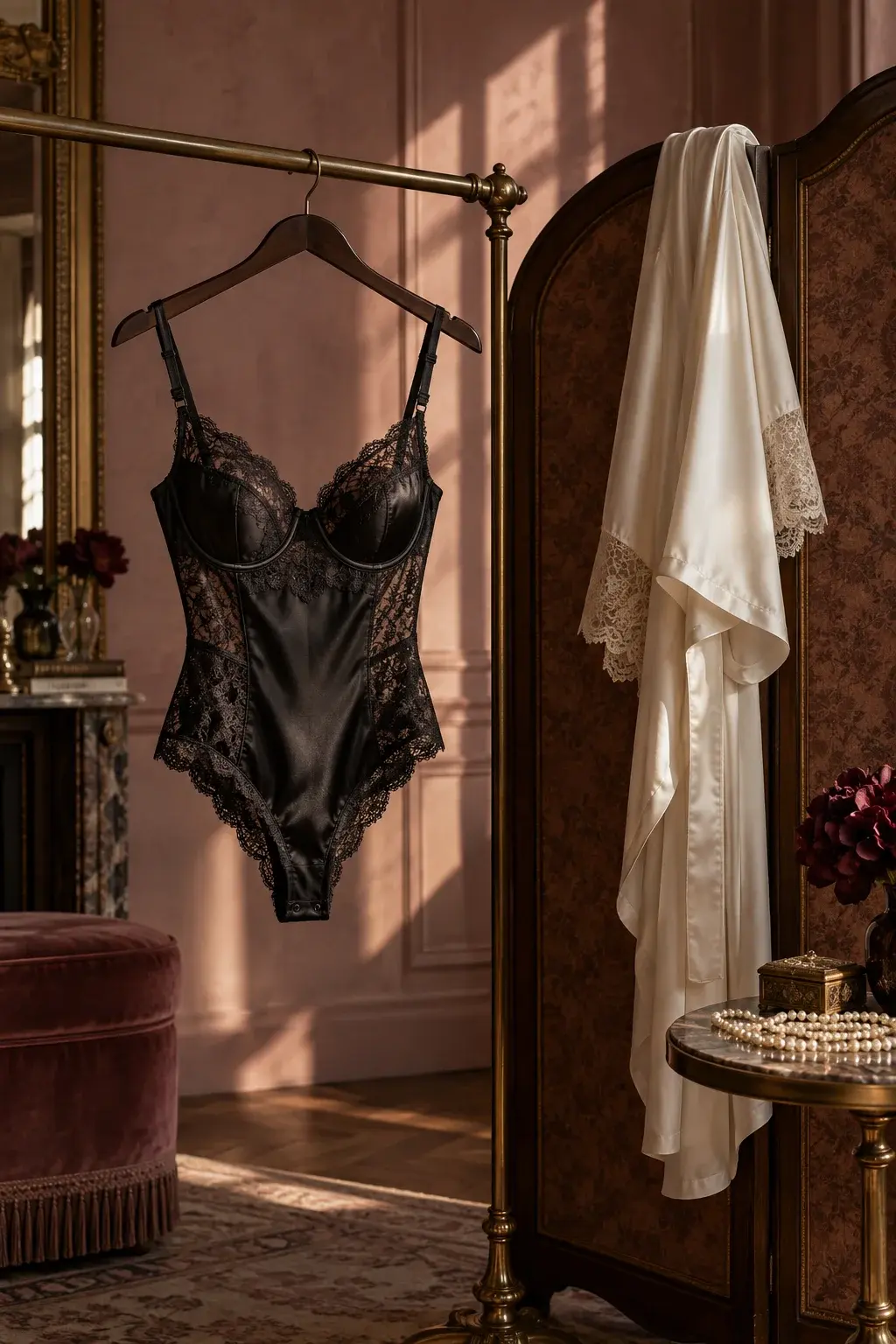
Black lace-trimmed bodysuit on a brass clothing rail beside an ivory robe and walnut dressing screen
AI-generated editorial concept. Not a completed Moonlight edit.
  • Black lace
  • Ivory silk
  • Afternoon light
Try a different direction

The dressing room, reimagined.

Lace against satin, ivory against walnut. This original AI-generated still life brings the wardrobe direction into focus. Use its fabric and color ideas to describe your own look; it is not a completed Moonlight edit.

Explore boudoir photo editing

Start with one change.

Choose a starting prompt, then add your own photo in the studio. You can adjust every word before creating. Opening a prompt uses no credits.

Explore black lace styling

Create a fashion portrait of the same consenting adult person styled in a black lace-trimmed bodysuit with opaque lining, black thigh-high stockings, and black high-heeled pumps. Keep the person's face, expression, hairstyle, natural body proportions, relaxed standing pose, and camera angle. Use soft window light and a simple dressing-room setting. Keep intimate body parts covered, with no nudity or sexual activity.

What to check: Use your own adult photo or explicit permission for both the source and this transformation. Review face, hands, garment coverage, and proportions. Sensitive edits may be rejected; acceptance is not guaranteed.

Try this edit

Style a silk portrait

Style the same adult person in burgundy silk pajamas with an ivory silk robe and soft window light. Keep the outfit opaque and fully covering. Preserve the person's facial features, expression, hairstyle, natural body proportions, pose, and camera angle. Keep the setting simple and the fabric realistic.

What to check: Compare facial details, hands, and fabric with your source. Use your own photo or explicit adult permission. Provider safeguards apply; results vary.

Try this edit
Choose a direction

Make the lingerie request specific.

A lingerie outfit is more than a color. Name the garment, neckline, fabric, and coverage: for example, a black lace-trimmed bodysuit with opaque lining and an ivory robe. Specifying lining helps distinguish a covered fashion portrait from a transparent garment request.

Try one coordinated look before combining several ideas. Black lace and a pale robe give a different result from burgundy satin and minimal accessories. If the source already has a strong pose and good light, ask to retain both while changing the clothing.

  • Choose one main garment and one optional layer.
  • Describe opaque coverage as well as color and texture.
  • Keep hair, expression, proportions, and framing in the instruction.
Source and reference

Give the garment room to be seen.

Choose a clear photo with the torso visible and hands away from important garment edges. A tightly cropped face photo gives little information about clothing or posture. A straight-on or gentle three-quarter view makes the intended shape easier to explain.

Add an authorized product photo as an outfit reference when useful. Tell the editor to borrow the garment rather than the model's face or body. AI try-on is a visual styling exercise: it cannot verify size, support, comfort, or how a real purchase will fit.

Review the result

Look closely at lace, straps, and coverage.

Compare the result with the source at full size. Check strap placement, lace edges, seams, and where a robe crosses the garment. Fine patterns can become uneven or merge with skin, jewelry, or hair.

Keep only images that preserve the person's recognizable features and intended coverage. If the image needs a correction, name the specific issue rather than adding a second outfit or a new scene at the same time.

Your photo, your choice

Personal styling needs permission.

Use your own adult photo or explicit permission from every adult depicted for both the source image and the requested transformation. Everyone must be 18 or older. A partner's photo or a public social post is not, by itself, permission for an intimate edit. Sensitive requests may be rejected by the AI provider; acceptance is not guaranteed.

Your uploads and creations are not automatically published to a gallery. AI services process the material needed for your edit, and deleted media can remain in an administrator-only archive. Read Photo privacy before uploading sensitive material, and agree on any sharing separately from permission to edit.

Before you start

Your questions, answered.

Can I use AI to try lingerie on my own photo?

You can request a covered lingerie styling edit of your own adult photo. An outfit reference can guide fabric and silhouette. Sensitive inputs or requests may be rejected, and a generated image does not establish real-world fit.

Can I keep my face and body proportions the same?

Ask for those details to remain and use a clear source portrait. Compare the output carefully: AI editing can unintentionally change facial features, body proportions, or clothing coverage.

Can I use a partner's picture?

Only with their explicit permission for both the source photo and the specific lingerie transformation. Every person depicted must be an adult aged 18 or older. Permission to edit does not automatically include permission to share.

Start with the photo you have

Make the scene you imagined.

Create an account for 15 credits—enough for 5 image creations. No card required.

Start creating