Create an account and get 5 free image creations →
Shoe styling guide · adults 18+

Finish the look with heels.

Black pointed pumps, simple ankle straps, or a contrasting color. A shoe change can shift the mood of a whole outfit. Start with a full-length photo and describe the shoes as carefully as the clothes.

No card required. Your photos, your direction.

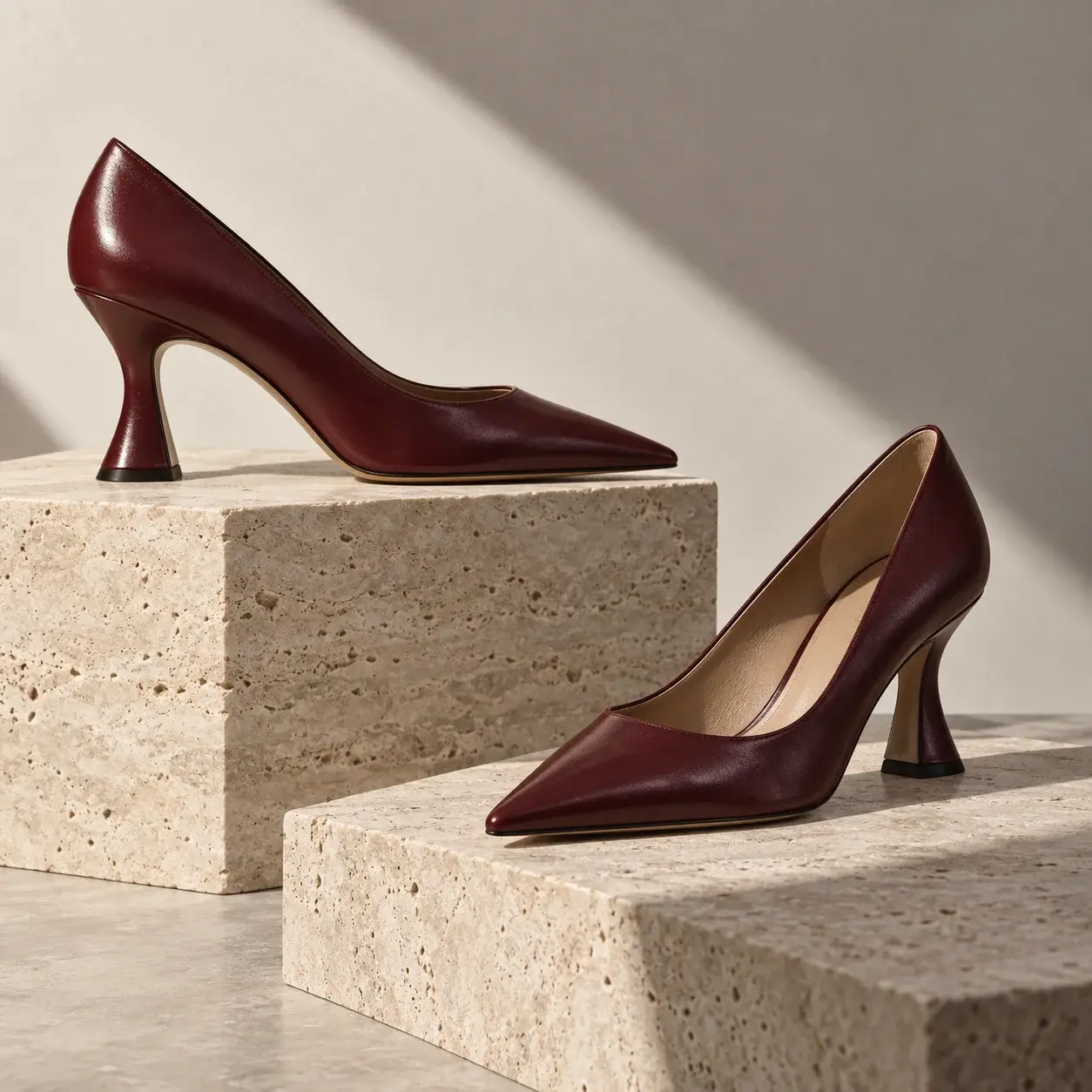
Oxblood pointed-toe pumps with sculptural heels on staggered travertine plinths
AI-generated editorial concept. Not a completed Moonlight edit.
  • Oxblood leather
  • Sculptural heels
  • Clean silhouettes
Try a different direction

Small detail. Different attitude.

A pointed toe, a curved heel, and a deep oxblood finish change the character of a shoe. This original AI-generated footwear study helps you describe those choices; it is not a product listing or a completed footwear edit.

Explore boudoir photo editing

Start with one change.

Choose a starting prompt, then add your own photo in the studio. You can adjust every word before creating. Opening a prompt uses no credits.

Try black pointed pumps

In this full-length photo of the same adult person, replace only the footwear with black pointed-toe pumps with a moderate heel and matte finish. Preserve the face, expression, hairstyle, clothing, natural proportions, overall stance, background, and framing. Adjust the foot angle only as needed for natural ankle alignment. Keep both shoes in believable contact with the floor and match the original shadows.

What to check: Check ankle alignment, matching heel heights, floor contact, and shadows. Keep both feet visible in your source. An AI preview cannot establish shoe size or comfort.

Try this edit
Frame the feet

Keep both shoes and the floor visible.

Use a source photo with room below the feet and a visible floor. If the ankles are hidden behind furniture or cut off by the frame, the editor has to invent more of the result. A standing fashion portrait is a useful starting point.

Avoid asking for a major pose change in the same instruction. Replacing flat shoes with heels may require a small change to the angle of the foot, so ask for natural ankle alignment and believable balance rather than perfectly frozen shoe geometry.

Name the shoe

Separate heel shape from outfit changes.

Specify closed-toe pumps or an ankle-strap style, then describe heel height, color, and material. ‘Black pointed-toe pumps with a moderate heel and a matte finish’ gives a clearer direction than ‘glamorous shoes.’

An authorized shoe reference can help with the silhouette. Tell the editor to change only the footwear and any necessary foot angle while retaining the face, clothing, overall stance, and background. Exact brand details or product geometry may not survive an AI edit.

Check the ground

Shoes need convincing contact and shadows.

Inspect both shoes together. Check that heel heights agree, straps connect logically, and neither foot floats above the floor. Look at the shadow beneath each heel and the outline of the shoe against the ground.

Compare the person's height and leg proportions with the source. A footwear request should not unexpectedly redesign the body. For open-toe styles, check visible toes and the edge of the sole before keeping the result.

Your photo, your choice

Personal styling needs permission.

Use your own adult photo or explicit permission from every adult depicted for both the source image and the requested transformation. Everyone must be 18 or older. A partner's photo or a public social post is not, by itself, permission for an intimate edit. Sensitive requests may be rejected by the AI provider; acceptance is not guaranteed.

Your uploads and creations are not automatically published to a gallery. AI services process the material needed for your edit, and deleted media can remain in an administrator-only archive. Read Photo privacy before uploading sensitive material, and agree on any sharing separately from permission to edit.

Before you start

Your questions, answered.

Can AI add high heels to my photo?

You can request a footwear change using a photo that clearly shows your feet and the floor. Results vary, especially when the original feet are hidden or the new heel requires a different foot angle.

Can I preview heels with the outfit I already have on?

Yes. Ask to preserve the clothing, face, background, and overall stance while replacing the shoes. Check that the edit has not changed the hemline or body proportions.

Will an AI shoe try-on tell me whether heels are comfortable?

No. It can help explore an appearance, but it cannot establish size, comfort, balance, or whether a real shoe will fit your foot.

Start with the photo you have

Make the scene you imagined.

Create an account for 15 credits—enough for 5 image creations. No card required.

Start creating